 FuelSteps
Your fuel plan.
On time.
Gel, Dextro, caffeine: build every step your way. FuelSteps buzzes just before it's time, so you never miss a gel again.
Build it like
a workout.
A chain of steps by distance or time, with repeats. Each step has its own name, grams and caffeine. Up to 5 schedules, picked on the watch.
- All distance (km) or all time (min) per schedule
- Repeats are numbered automatically: Gel #1, #2, #3
- A gel before the start counts, without an alert
Marathon · distance
Right before
the moment.
30 s or 50 m early (adjustable), so it never clashes with your km or lap alert. Vibration, tone and a full screen with what to take, the planned moment and your position.

See it coming.
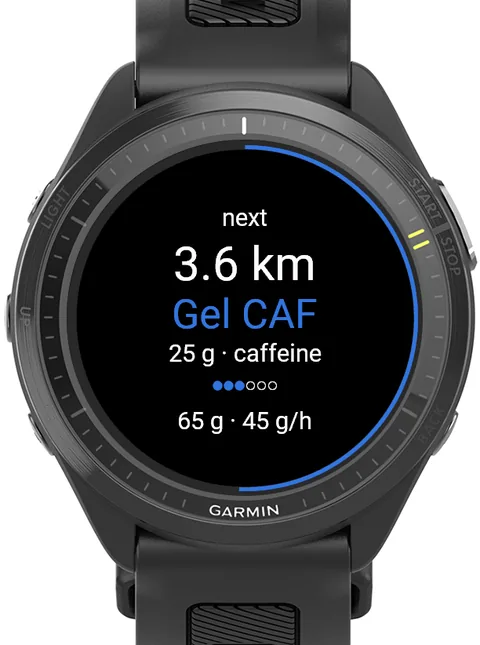
A countdown ring, what's next, and your carbs so far and per hour. The countdown turns amber in the last 500 m or minute.


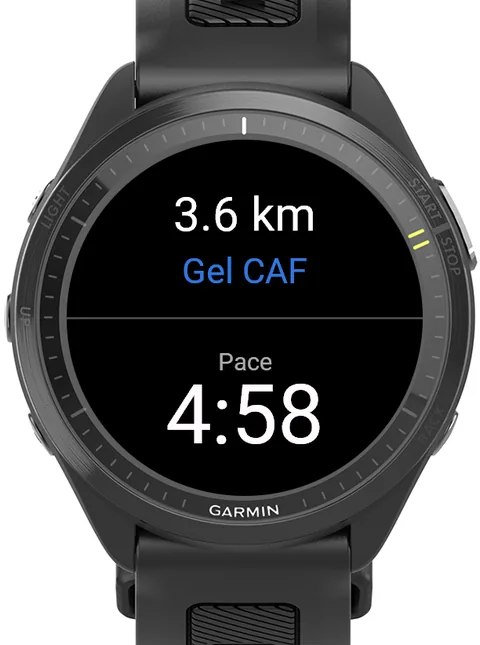
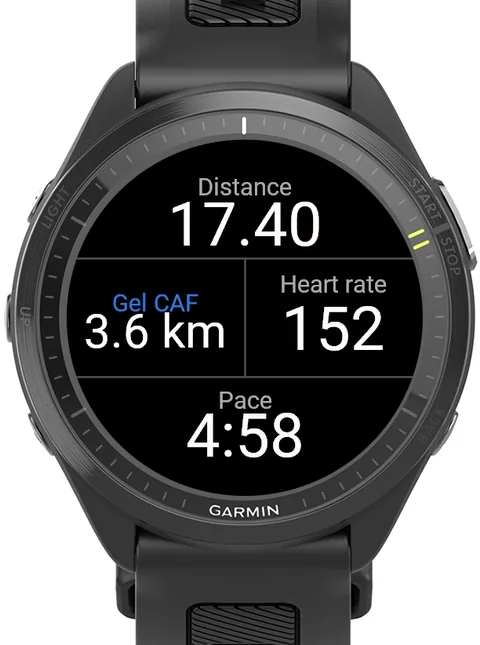
Full, half or a corner.
FuelSteps fits the data screens you already use.
Ready in a minute.
- Install FuelSteps from the Connect IQ Store and add it to a data screen of your run profile.
- Turn on Alerts → Connect IQ in the activity settings.
- Edit your schedules in the Connect IQ app: FuelSteps → Settings. Schedule 1 works out of the box (6× 30 min Gel).
- Pick a schedule on the watch: activity menu → Connect IQ fields → FuelSteps.
In Garmin Connect.
- Charts: carbs so far and carbs per hour
- Summary: total carbs, fuel moments, caffeine moments and schedule
- Planned values: FuelSteps reminds you, you never have to press a button
Good to know.
What is FuelSteps?
FuelSteps is a free data field for Garmin watches (Connect IQ) that reminds you when to take a gel or other fuel during a run. You build your own schedule by distance or time, and FuelSteps vibrates, beeps and shows a full-screen alert just before each moment.
Which Garmin watches does FuelSteps support?
All round Garmin watches with Connect IQ 5.0 or newer, including Forerunner 165, 170, 255, 265, 570, 70, 955, 965 and 970, fēnix 7, 8, 9 and E, epix (Gen 2) and epix Pro, Enduro 3, MARQ (Gen 2), Venu 2, 3 and 4, and vívoactive 5 and 6.
Can I mix different fuels in one schedule?
Yes. Every step has its own name (for example Gel, Dextro or Gel CAF), its own grams of carbohydrate and an optional caffeine mark. Steps can repeat, and repeats are numbered automatically.
Can I plan by distance or by time?
Both. Each schedule is either all distance (km) or all time (minutes), with steps from 0.5 to 100 km or from 5 to 600 minutes.
Why does the alert come early?
By default the alert comes 30 seconds or 50 metres before the planned moment, so it doesn't clash with Garmin's own km or lap alert. You can set it from 0 (exactly on the moment) up to 2 minutes or 200 metres.
Do I have to press a button when I take a gel?
No. FuelSteps is a reminder, not a log. It saves the planned carbs in your activity, shown as charts in Garmin Connect, without button presses that could disturb your recording.
Is FuelSteps free?
Yes. FuelSteps is free, with no subscription, no ads and no account. Donations via PayPal are appreciated.
Which languages does FuelSteps support?
English, Dutch, German, French, Spanish and Italian, on the watch and in the settings.
Free. Always.
No subscription, no ads, no account. If FuelSteps gets you to the finish, donations are appreciated :)
Donate via PayPal